Skip to content
Wildcat Reviews
How we review

The 5 Best Indoor Security Cameras 2026 – Tested & Reliable

Leonard OlsonUpdated

We may earn a commission when you buy through links on this page, at no extra cost to you.
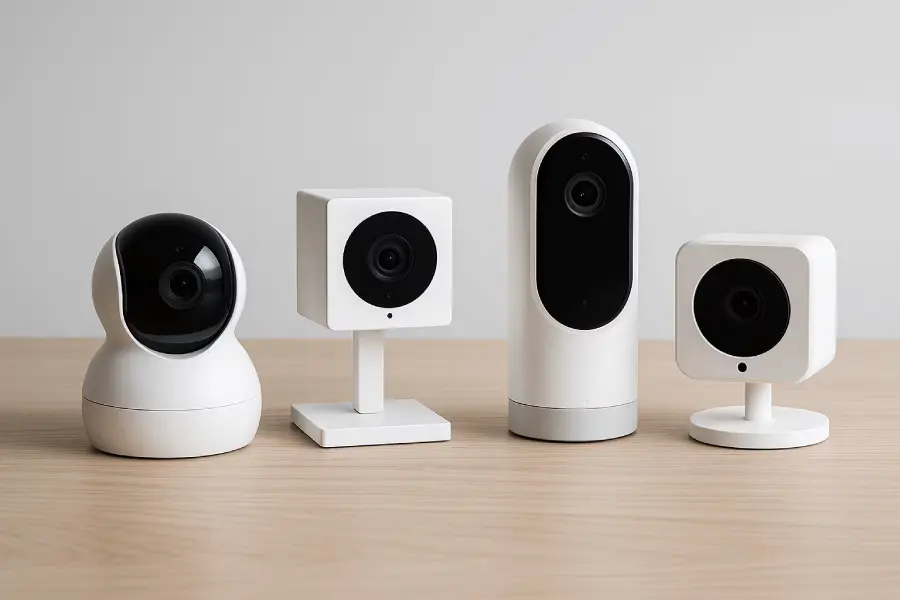
An indoor security camera should make it easy to check a room without turning your home into a constant stream of alerts. The right choice depends on what you want to see: a fixed view of the entrance, a movable camera for a larger room, or several simple cameras covering different spaces.

We compare five options across those uses, including Ring and Blink for Alexa households, eufy and Tapo for pan-and-tilt coverage, and LaView for a multi-camera purchase. Just as important as picture quality are the recording costs, privacy controls and placement. A camera with a physical cover or useful local storage may suit your routine better than one with more pixels but a plan you will not use.

Quick recommendation

Ring Indoor Cam suits a simple fixed view in an Alexa home; eufy Indoor Cam E30 is worth comparing for 4K pan-and-tilt coverage and local storage. Decide whether you need saved clips before choosing a camera and subscription.

Our Top 5 Indoor Security Cameras

These are editorial picks for different room layouts and storage preferences. All need suitable power and a stable network; pan-and-tilt movement does not mean every part of a room is recorded simultaneously.

Pick 1 ⭐ 9.7/10 Best Overall!
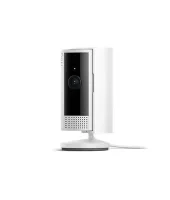
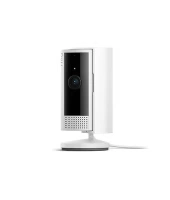
Ring Indoor Cam (2nd Gen)

Ring Indoor Cam (2nd Gen)

Standout feature

A fixed 1080p camera with a manual privacy cover and Ring app integration.

Main drawback
Saved video requires an eligible Ring plan; the privacy cover is a physical control to use deliberately.
  • Two-way talk supports conversations through the app.
  • Position the fixed lens around the area you actually need to see.
  • Infrared works in darkness; color night vision depends on available light.
  • Use individual household access permissions rather than sharing one account password.

Placement tip: test the live view from your phone before fixing the mount. Choose an angle that shows the entry route or pet area you need, avoids private spaces and does not point directly at a bright window. Follow the mounting instructions rather than using one universal height.

Pick 3 ⭐ 9.3/10 Very Good
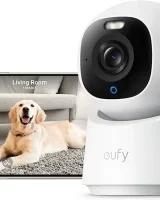
eufy Indoor Cam E30

eufy Indoor Cam E30

Standout feature

4K video and pan-and-tilt movement provide flexible room framing.

Main drawback
Apple HomeKit video is limited to 1080p, rather than the camera’s full 4K capability.
  • Local microSD recording offers an alternative to relying only on cloud history.
  • Motion tracking changes where the lens points; it cannot show every angle at once.
  • A built-in spotlight can provide color viewing in a dark room.
  • Confirm card capacity and HomeBase support for the selected firmware and bundle.
Pick 4 ⭐ 8.9/10 Good Value for Money
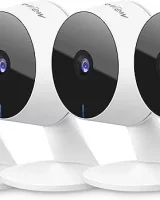
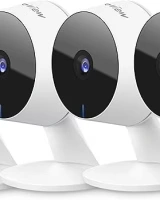
LaView Security Cameras 4pcs

LaView Security Cameras 4pcs

Standout feature

A four-camera pack can cover separate rooms rather than one movable viewpoint.

Main drawback
The exact LaView kit determines the storage limits and included accessories.
  • The listed cameras record 1080p video with infrared night vision.
  • Check how many power outlets and cables the full installation needs.
  • Compatible microSD recording can remain an option after an optional cloud trial ends.
  • Review privacy and access permissions for every installed camera.
Pick 5 ⭐ 8.5/10 Budget Option
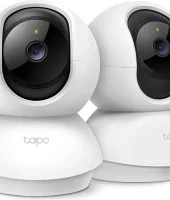
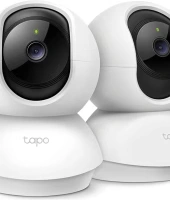
TP-Link Tapo 2K Indoor Cam

TP-Link Tapo 2K Indoor Cam

Standout feature

A 2K pan-and-tilt camera offers adjustable room coverage and local recording options.

Main drawback
Tapo has several similarly named models; viewing angles, detection and integrations vary.
  • Confirm the exact model number and supported microSD card capacity.
  • Pan-and-tilt coverage describes movement, not a simultaneous panoramic recording.
  • Optional cloud services are separate from compatible local recording.
  • Avoid positioning an indoor infrared camera behind a window for nighttime outdoor viewing.

How we pick our best indoor video cameras?

This refresh compares published product specifications, installation requirements and ownership costs. It does not add new hands-on test results. We prioritize the right fit for each household over the longest feature list.

  • Useful coverageWe compare fixed views with pan-and-tilt framing and multi-camera room coverage.
  • Recording accessLocal cards, hub requirements and cloud plans are evaluated as separate ownership choices.
  • Privacy controlsPhysical covers, account permissions and sensible placement matter inside a home.
  • Practical setupPower outlets, network access, night lighting and ecosystem compatibility affect everyday use.

Scores are editorial assessments, not measured laboratory results. Model generations, bundles and subscription features can differ by country; confirm the exact listing and current manufacturer documentation before ordering.

Compare the Best Indoor Security Cameras Side by Side

Compare room coverage and storage before paying for higher resolution. If you are adding alarms or outdoor devices too, start with the complete home security guide to avoid overlapping purchases.

Camera Image Best For Resolution View / Movement Night Vision Storage Buy
Ring (2nd Gen) Best Overall Ring (2nd Gen) Fixed indoor view 1080p Fixed IR; color needs available light Cloud recordings with eligible plan Check price
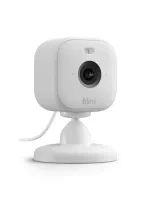
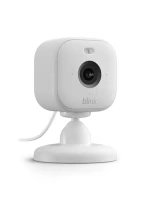
Blink Mini 2 Best Budget Blink Mini 2 Compact wide view 1080p Fixed; 143° view IR + spotlight-assisted color Cloud or compatible module + storage Check price
Eufy e30 Best Premium Eufy e30 Movable 4K room view 4K; HomeKit up to 1080p Pan and tilt IR + spotlight-assisted color Local microSD; check other options Check price
LaView 4pcs Best Value Pack LaView 4pcs Several room views 1080p selected kit Fixed cameras IR Compatible microSD; optional cloud Check price
Tp-Link Tapo Best Pan-Tilt Value Tp-Link Tapo Adjustable room framing 2K selected model Pan and tilt; angles vary IR; model-dependent extras Compatible microSD; optional cloud Check price

What to Look for in an Indoor Video Camera?

Pick a viewpoint rather than a megapixel target

A fixed camera may be enough for a hallway or entrance. Pan-and-tilt is useful when you want to look around a room, but the camera records the direction it faces. Several fixed cameras can cover more viewpoints at once, with extra power cables and privacy implications. For animal-specific features, compare pet cameras as well.

Check how you will retrieve a missed event

Free live view is different from a saved clip you can replay tomorrow. Check cloud-plan costs per home or camera, local card requirements and what happens when a card fills. Test playback and exporting a clip during the return period. A recording stored only inside a stolen or damaged camera may be lost.

Make privacy part of the daily routine

Keep cameras out of bedrooms, bathrooms and other private areas. Tell household members and visitors where cameras operate, use privacy covers where available, and restrict shared account access. Strong passwords, two-factor authentication and updates reduce risk without making a camera immune to unauthorized access. In Airbnb rentals, indoor security cameras are prohibited, including devices that are switched off.

Test lighting, power and alerts at the real location

Indoor cameras generally need a nearby outlet, and an indoor power adapter is not automatically suitable outdoors. Infrared can reflect off glass and glossy surfaces; a window-facing camera may give poor night footage. Test normal movement after dark, adjust activity zones and check whether the person or pet alerts you want require a subscription. For the garden or driveway, choose a suitable outdoor camera instead.

Our Verdict: Which Indoor Camera to Choose

Ring is an easy starting point for a fixed indoor view, while eufy E30 is a stronger fit when movable 4K framing and local storage are priorities. Blink Mini 2 suits compact placements; LaView covers several rooms with separate cameras; Tapo offers another pan-and-tilt route once you confirm the model.

Choose around privacy, usable playback and the room layout. No camera replaces an entry sensor or monitored alarm when the goal is intrusion detection rather than simply seeing what happened.

FAQ: Indoor Security Cameras

Do indoor security cameras need a subscription?

Not always. Live view and basic features may be included, while saved cloud clips or advanced alerts can require payment. Local recording may need a compatible memory card or storage hub.

Is a pan-and-tilt camera better than a fixed camera?

It depends on the room. Pan-and-tilt lets you change the viewpoint, but the lens records only where it is pointing. A fixed camera may be simpler for one entrance, while several cameras provide simultaneous views.

Can indoor cameras be used outside?

Only when the exact model, power accessory and installation are rated for that use. Do not assume an indoor camera or its supplied adapter can tolerate rain, moisture or outdoor temperatures.

Can an indoor camera see through a window at night?

Infrared light can reflect from glass and obscure the image. Switching off infrared may help only when sufficient outside light is available. A properly rated outdoor camera usually offers a more practical exterior viewpoint.

Are indoor cameras safe from hackers?

No connected camera is completely risk-free. Use unique credentials, two-factor authentication, supported updates and limited sharing. Choose sensible placements and use physical privacy controls when you do not want recording.

Does eufy Indoor Cam E30 provide 4K in HomeKit?

No. The camera supports 4K in its own supported recording setup, but HomeKit is limited to 1080p. Confirm the app and recording path you intend to use before buying.